Skip to content
The PowerPoint Add-in for consultants

Create client-ready PowerPoints in minutes – not hours.

Designed for consultants who require polished, persuasive decks delivered swiftly – empowering you to focus on strategy while Decky AI handles the details.

Built for every team that lives in PowerPoint

Management ConsultingStrategy & Corp DevInvestment Banking & M&APrivate Equity & VCSales & Pre-SalesExecutive / C-suiteMarketing & Brand
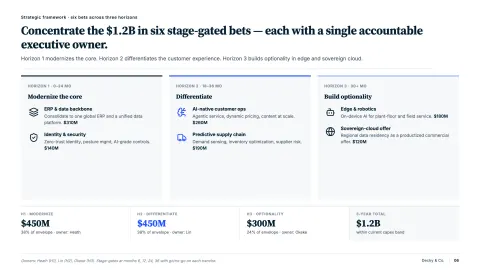
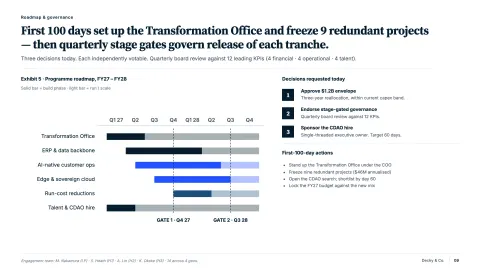
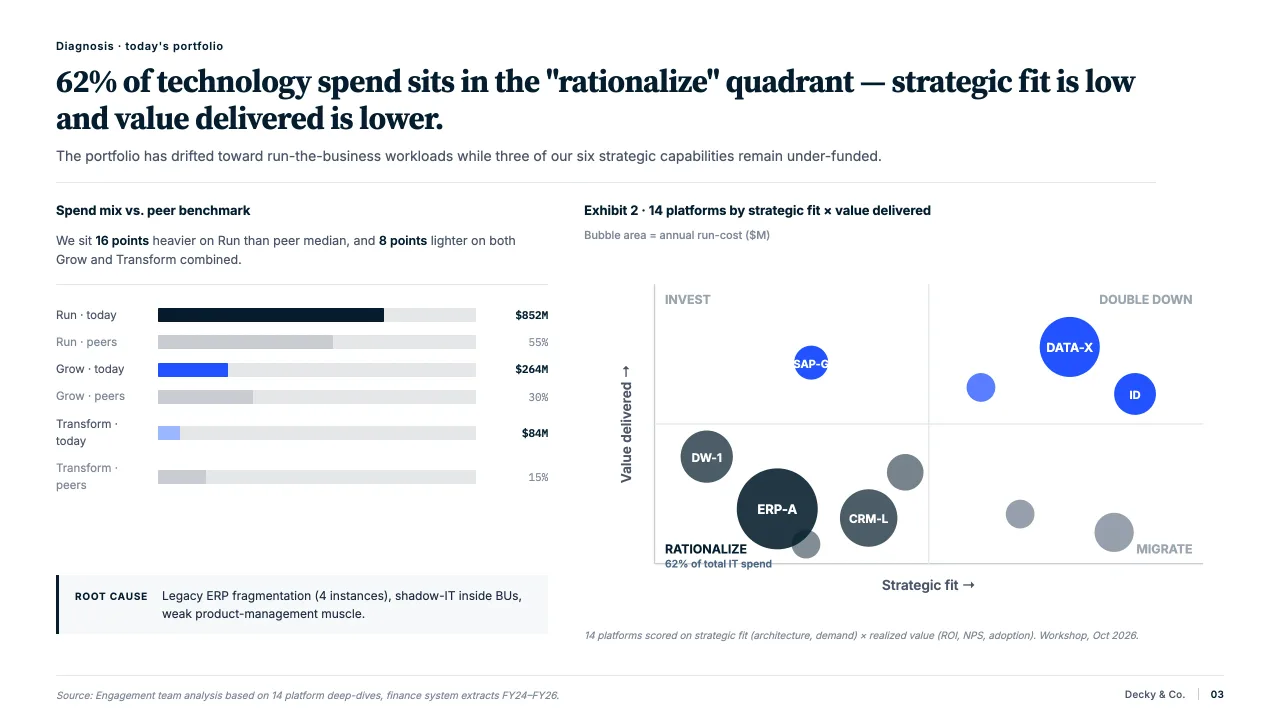
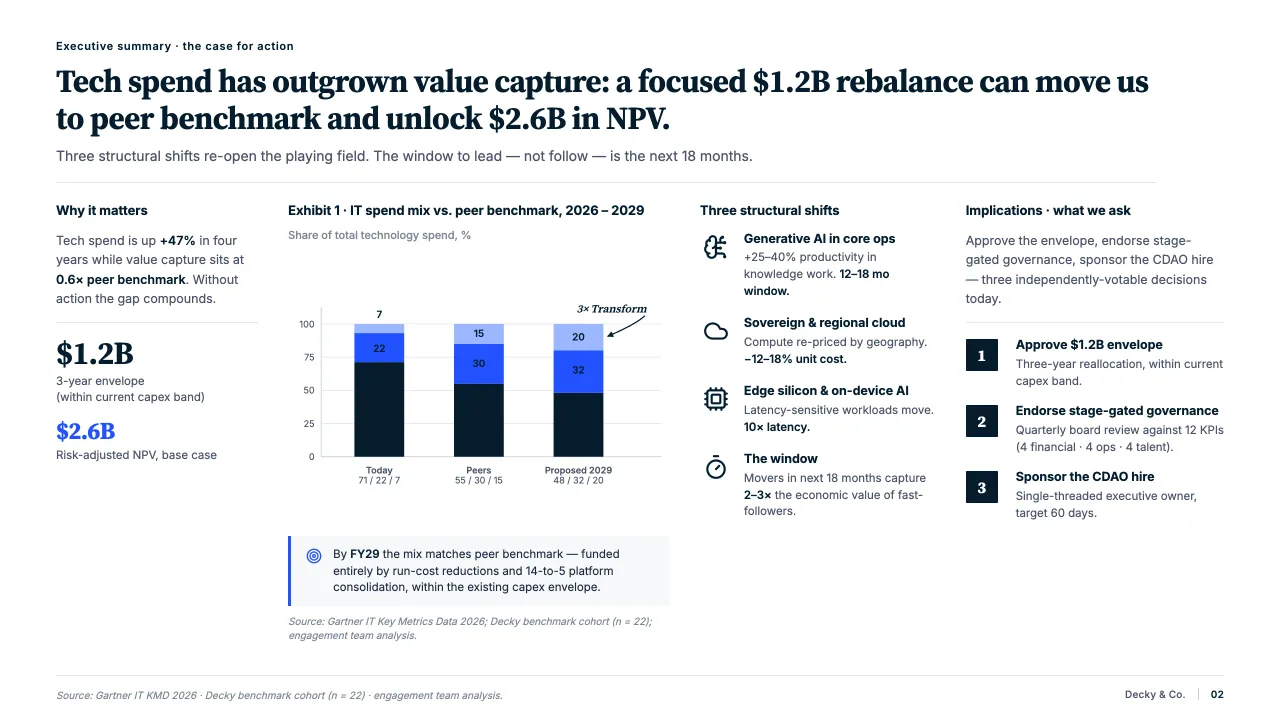
Microsoft PowerPoint — Global_Tech_Investment_Strategy.pptx
Click a prompt to generate slides
Building outline...
Ready 100%
Decky AI
Try a prompt
Global technology investment strategy deck for the board
Sources
How can I help you?

Trusted by the world's leading consultants

IBMDK Individual AnalysisuseblocksAilo Data SolutionsGWMIBMDK Individual AnalysisuseblocksAilo Data SolutionsGWM

For consultants & dealmakers

You solve the problem. Decky builds the deck.

Inside PowerPoint – the agent absorbs formatting, polishing and brand consistency in the background.

  1. 01
    12+ hours per week

    Time given back

    No more late-night polishing before the steerco.

  2. 02
    59% less time on slides

    Pace on the project

    The deck keeps up with the analysis.

  3. 03
    100% on-brand

    On the master, every slide

    Colors, type and layout – automatic.

  4. 04
    Day 1 senior-level

    Junior, partner-ready

    Review-ready decks before the partner call.

Why consultants choose Decky AI

Everything you need to ship a deck.

Decky AI takes care of the entire formatting layer – from color hierarchy to spacing rules – and the content layer too: typos, units, citations, tone.

Insights on every slide

Find the right data for every slide

Connect to your company's knowledge sources and get the right insights on every slide. Decky brings together web data, files, and internal content to back your story with real facts.

From idea to deck

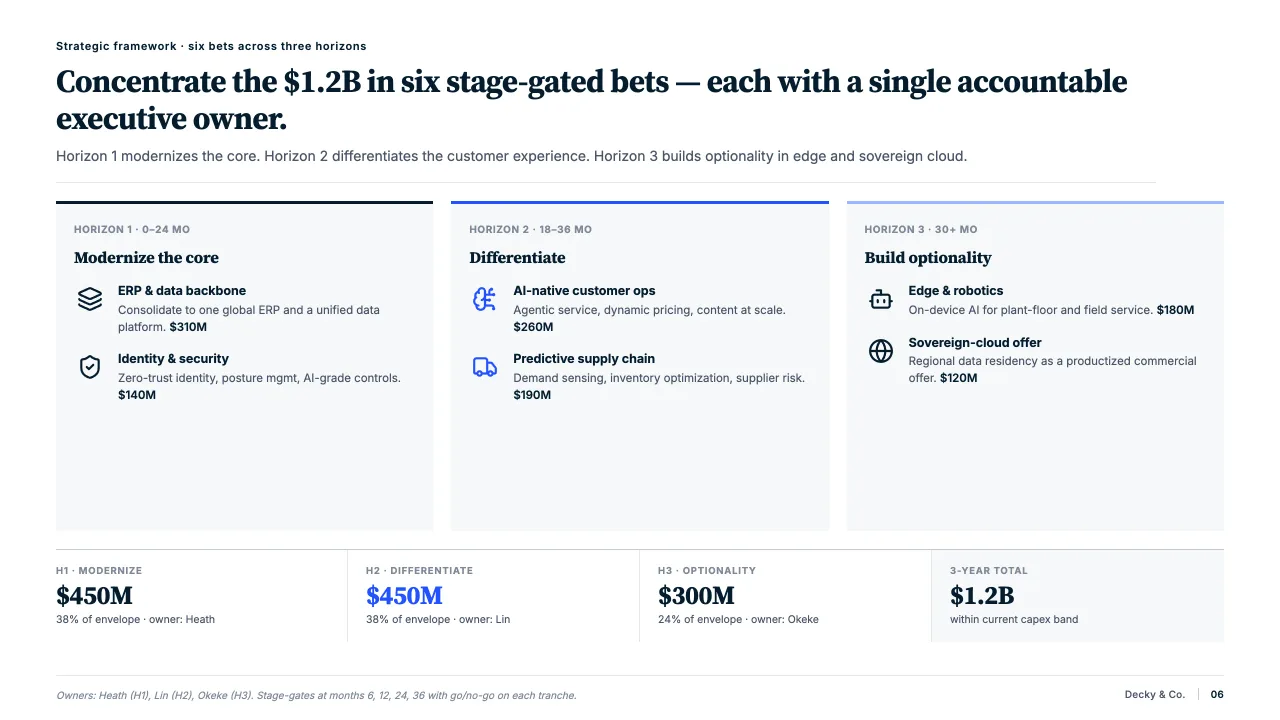
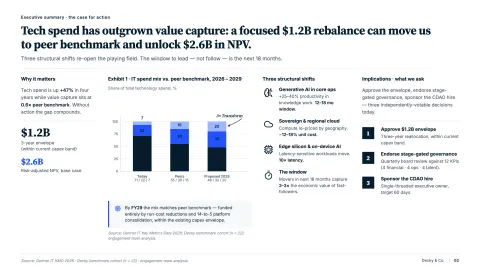
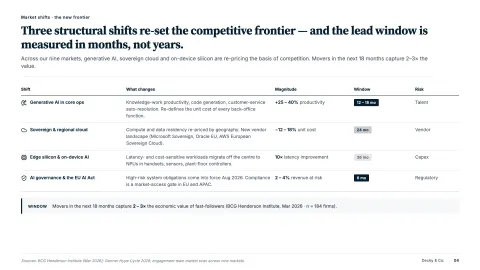
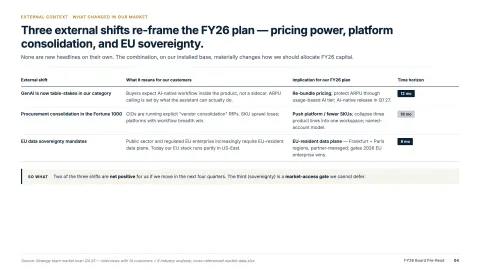
Create slides from scratch

Decky turns raw ideas, outlines, or documents into complete, client-ready slides – generating structured storylines, clear headlines, and polished visual hierarchies. Whether you start with bullet points, a Word file, or just a topic, it delivers fully formatted, on-brand slides instantly.

Pixel-perfect formatting

Align, style and format slides

Decky takes care of the entire formatting layer – from color hierarchy to spacing rules. It cleans up every slide behind the scenes, aligning elements, correcting layout issues, and delivering a crisp, professional finish without manual effort.

Precision without pause

Check and standardize your content

Decky reviews your slides end-to-end by fixing typos, grammar, formatting inconsistencies, enforcing tone and punctuation rules, and checking number formats, units, citations, and references.

Build once, reuse forever

Save your best slides, reuse them anywhere

Keep your strongest slides – a market map, a team page, a recurring disclaimer – in your private Slide Library and drop them into any deck in seconds. Everything stays EU-hosted, private to you, and is never used to train AI.

All your slide tasks. Done.

Tools that fit the way consultants work.

  • Find icons

    Stop hunting through endless libraries – find and insert style-matched icons that perfectly illustrate your point in seconds.

  • Web search content

    Quickly pull in data, stats, or context from the web to make your slides more insightful – without leaving PowerPoint.

    Searched the web
    "Q3 2025 SaaS market growth in EU"
    McKinsey Gartner Statista
  • Add images

    Describe what you need and instantly get relevant, slide-ready imagery that clearly supports and strengthens your message.

    Image generated
  • Auto-check content

    Automatically check spelling, grammar, tone, and citations to make your slides clear, consistent, and presentation-ready.

    42 issues found across 24 slides
    "The clients revenue grew aproximately 15% in Q3 2025."
    Apply all

Format slides faster & better

Sharp, compelling and perfectly branded.

Experience how Decky AI transforms scattered ideas into sharp, compelling, and perfectly branded presentations.

Decky for Enterprise

Enterprise-grade security.
IT-approved by design.

Built for consulting firms, banks, and corporates with strict data protection requirements. Regional processing in EU & US. Zero data retention. SSO and access control.

EU & US data centers
Regional processing. Choose EU or US hosting.
GDPR EU Hosting Zero Retention

Zero data retention

Your slide content never trains any model. External providers don’t store your prompts or outputs – ever.

Regional processing

All processing on Microsoft Azure and AWS – choose EU (Frankfurt) or US (Virginia) infrastructure. GDPR-native and CCPA-compliant, no cross-region transfers.

SSO & access control

Microsoft Entra ID single sign-on and role-based access control for your whole team.

Every team. Every deck.

Decky AI works the way your team already does – turning research, data, and rough notes into client-ready slides across every function that lives in PowerPoint.

Customer voices

What our customers say.

See how we've helped top-tier consultants succeed through our customers' experiences.

“Decky AI is one of the best AI presentation tools for consultants working in PowerPoint.”

Paul Moss
Paul Moss Founder, Analyst Academy · 230k+ YouTube subscribers
Paul Moss
Paul Moss Founder, Analyst Academy · 230k+ YouTube subscribers
Decky AI is one of the best AI presentation tools for consultants working in PowerPoint.
Sophie B.
Sophie B. Engagement Manager, Big 4 Firm
I love how Decky enforces our firm's brand guidelines automatically. No more last-minute formatting fixes before client meetings.
Markus F.
Markus F. Executive Consultant, Tier-1 Consulting
Decky […] makes all our consultants at least 30% more efficient on their slide work.
Robert H.
Robert H. Partner, Tier-1 Consulting
I care about quality and speed. Decky AI consistently delivers both. It helps produce clearer narratives and better slides in less time.
Luca S.
Luca S. Consultant, Strategy & Operations Practice
What used to take a full day of layout, table-design and formatting now takes a few chats thanks to Decky AI.
Paul Moss
Paul Moss Founder, Analyst Academy · 230k+ YouTube subscribers
Decky AI is one of the best AI presentation tools for consultants working in PowerPoint.
Sophie B.
Sophie B. Engagement Manager, Big 4 Firm
I love how Decky enforces our firm's brand guidelines automatically. No more last-minute formatting fixes before client meetings.
Markus F.
Markus F. Executive Consultant, Tier-1 Consulting
Decky […] makes all our consultants at least 30% more efficient on their slide work.
Robert H.
Robert H. Partner, Tier-1 Consulting
I care about quality and speed. Decky AI consistently delivers both. It helps produce clearer narratives and better slides in less time.
Luca S.
Luca S. Consultant, Strategy & Operations Practice
What used to take a full day of layout, table-design and formatting now takes a few chats thanks to Decky AI.

Frequently asked questions.

Find quick answers about Decky AI. Reach out to us directly for more information.

Will Decky AI be trained on your slides or client data?
No. Decky AI is never trained on your slides, documents, or any client-related content. Slides are processed in real time to handle your request. If you choose to save a slide to your Slide Library, it's stored privately in our EU-hosted backend and is deletable at any time – but it is still never reused or added to model training.
Does Decky AI help with the content or only the formatting?
Beyond layout and design, Decky AI also checks your slide content for logic errors, typos, grammar issues, inconsistencies, awkward phrasing, and enforces style guidelines (e.g. consistent number formats, capitalization, citation style, tone).
How do I pull in data / integrate existing data sources for slides?
Decky AI supports data integration. It can connect to your company's knowledge sources (files and images) and fetch relevant facts, insights or supporting data for your slides from the web.
Can I generate slides from scratch using Decky AI?
Yes, Decky AI allows slide generation from scratch. You can start with just a topic, a rough outline, a document, or even plain notes, and Decky will generate a fully structured slide deck: with logical flow, headings, visual hierarchy, charts/visuals if needed, and design-ready formatting.
What is the Slide Library and how many slides can I save?
The Slide Library lets you save individual slides – with their layout, branding, and content intact – and reuse them in any future deck. Capacity scales with your plan: 20 saved slides on Free, 100 on Starter, and 200 on Pro and above. Enterprise teams additionally get a shared organisation library of up to 1,000 slides. Saved slides are stored EU-hosted, private to you or your organisation, deletable at any time, and never used to train AI models.
Which platforms and versions of PowerPoint does Decky AI support?
Decky AI is a native Office Add-in for Microsoft PowerPoint on Windows and macOS, installed through a Microsoft 365 subscription. There is currently no web or mobile version – the add-in runs inside the PowerPoint desktop application you already use.
What does Decky AI cost?
Decky AI has a free plan and five paid tiers. For individuals: Free (€0), Starter (€25/mo), Pro (€50/mo) and Max (€100/mo). For teams: Business (€199/mo) and custom Enterprise pricing. All paid plans include credits for slide edits, AI images, icon search and web search – see the full breakdown on our pricing page.
What are “credits” and how do I use them?
Credits meter the actions that call an AI model: 10 credits per slide created or edited in fast mode (20 in smart mode), 20 credits per AI-generated image, and 1 credit per icon or web search. Reading and planning actions inside the agent are always free.
How do I install Decky AI?
Individuals can install Decky AI directly from Microsoft AppSource and sign in inside PowerPoint. IT administrators rolling it out to a whole organisation instead upload the Decky AI manifest as a custom Integrated App in the Microsoft 365 Admin Center, so it's deployed to every assigned user automatically.
Can my whole team use Decky AI, with single sign-on and shared assets?
Yes. The Business and Enterprise plans support organisation-wide deployment via the Microsoft 365 Admin Center, Microsoft Entra ID single sign-on, role-based access control, and a shared organisation Slide Library of up to 1,000 slides.
Does Decky AI need an internet connection?
Yes. Decky AI calls a large language model to generate and edit slide content, so an active internet connection is required – there is no offline mode.
Where is my data processed, and is Decky AI GDPR-compliant?
Decky AI is built and operated in the EU. Enterprise customers can choose regional processing on Microsoft Azure or AWS infrastructure in the EU (Frankfurt) or US (Virginia). Slide content is never stored for training and is not retained by Decky AI after a request completes.
Do I need to leave PowerPoint or export my deck to use Decky AI?
No. Decky AI runs entirely inside the PowerPoint desktop app as a native Add-in. There's no separate editor, no browser tab, and no export/import step – every change is applied directly to the open .pptx file and can be undone like any other PowerPoint action.
Is there a free plan?
Yes. The Free plan costs €0 per month and includes 200 credits per month and a 20-slide Slide Library – enough to try Decky AI on real decks before upgrading.
How is Decky AI different from a general-purpose AI assistant like Microsoft Copilot?
Decky AI is purpose-built for slide production: it reads your deck's own slide master and layouts to apply your firm's brand automatically, checks content for typos, inconsistent formatting and broken citations, and keeps every change inside the native PowerPoint file – rather than being a general-purpose office assistant.

Talk to our sales team

Get a personal demo.

Discover the value of Decky AI for consultants and see how client-ready PowerPoint decks are created in minutes.